
Sub-Total: $0.00
Post
Tesla Wall Connector or Universal Wall Connector: Which One Should You Buy in 2026?
By Redfire, The RED Review. Updated October 31, 2026.
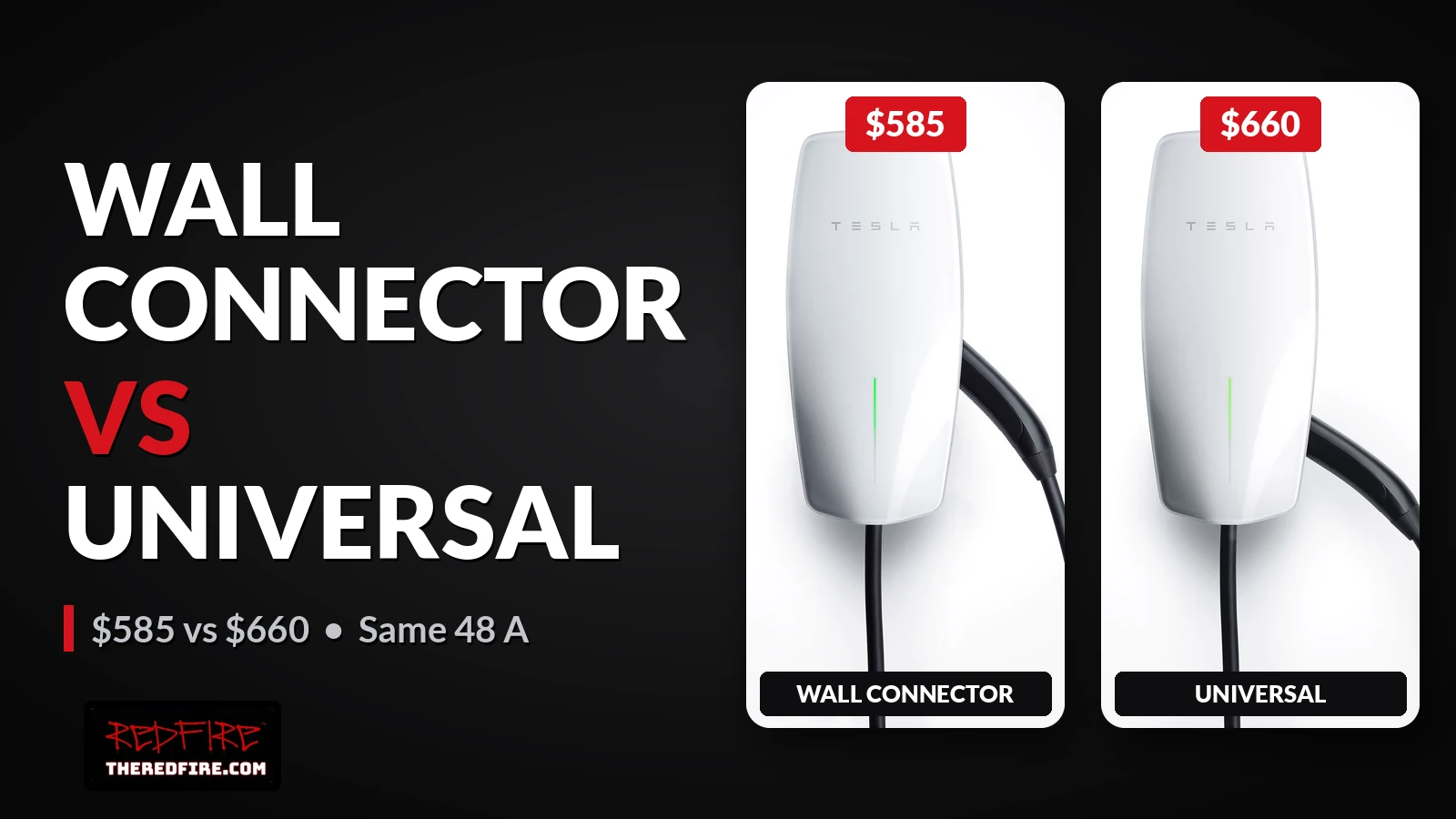
Short answer: If you only charge Teslas or other EVs with a NACS port, buy the standard Wall Connector (Gen 3) at $585. If you own or expect a car with a J1772 port, buy the Universal Wall Connector at $660, because it has a built-in J1772 adapter. Tesla lists the same 11.5 kW / 48 A output and 24-foot cable for both. For Powershare with a Powerwall, Tesla lists either one. Without a Powerwall, Powershare needs the Universal. Prices from the US Tesla Shop, checked October 26, 2026. Both listed as out of stock that day.
Safety: Both units are hardwired and must be installed by a qualified electrician. Tesla recommends a Tesla Certified Installer. Do not do panel or communication wiring yourself.
Key facts at a glance
Here is what Tesla’s own pages say, as of October 26, 2026:
- Price: Wall Connector $585; Universal Wall Connector $660 (Tesla Shop, US).
- Output: Both list 12 to 48 A, up to 11.5 kW / 48 A “depending on vehicle.” Full 48 A needs a 60 A breaker.
- The difference: The Universal adds an integrated J1772 adapter for non-Tesla EVs.
- Build: Both list a 24-foot cable, a Type 3R / IP54 indoor-outdoor enclosure and a four-year residential warranty.
- Power sharing: Up to six Gen 3 Wall Connectors, including Universal units, can share one circuit through Group Power Management.
- Availability: Tesla Shop showed both out of stock and limited to Tesla owners on October 26, 2026.
Side-by-side comparison
| Wall Connector (Gen 3) | Universal Wall Connector | |
|---|---|---|
| Tesla Shop price (Oct 26, 2026) | $585 | $660 |
| Output range (Tesla manuals) | 12 to 48 A, up to 11.5 kW | 12 to 48 A, up to 11.5 kW |
| Breaker for max output | 60 A | 60 A |
| Enclosure | Type 3R / IP54 | Type 3R / IP54 |
| Part number (side label) | 1457768 | 1734412 |
| Connector | NACS (Tesla) | NACS plus integrated J1772 adapter |
| Cable | 24 ft | 24 ft |
| Wi-Fi, app control | Yes | Yes |
| Group Power Management | Yes (Gen 3) | Yes (Gen 3 variant) |
| Dynamic Power Management | Single-unit installs, meter required | Single-unit installs, meter required |
| Powershare with Powerwall 3 | Listed by Tesla | Listed by Tesla |
| Powershare without Powerwall | Not listed | Required, with Powershare Gateway |
| Warranty | 4 years residential | 4 years residential |
Note: Some Tesla models charge slower. Tesla Shop says Model 3 Rear-Wheel Drive, Model Y Rear-Wheel Drive and Model Y All-Wheel Drive max out at 32 A (7.7 kW) on either unit.
Which one should you buy?
The right pick depends on which cars park in your garage now and in the next few years:
- Teslas only, or other NACS-port EVs: The standard Wall Connector. It is $75 cheaper and charges the same.
- Any J1772-port EV in the household: The Universal Wall Connector, so you skip a separate adapter.
- Cybertruck Powershare without a Powerwall: The Universal. Tesla requires it, plus a Powershare Gateway.
- Powershare with a Powerwall: Tesla lists either unit. See the Powershare section below.
- Two or more EVs on one circuit: Any mix of Gen 3 units, using Group Power Management.
What about Powershare and Powerwall?
Tesla’s Powershare support page lists the gear by home setup. Tesla is the source here, and it contradicts some older third-party reports that said the Universal plus a Powershare Gateway is always required.
With a Powerwall, Tesla says you need:
- A Model 3, Model Y or Cybertruck that supports Powershare
- A Powerwall
- Either a Universal Wall Connector or Wall Connector 3
Tesla adds that the Powerwall and Wall Connector must be on the same Wi-Fi network, registered to the same site and paired. Then you contact Tesla Customer Support to enable Powershare. Tesla’s Powershare product page says that with a Wall Connector or Universal Wall Connector and a compatible Tesla, Powerwall 3 can power your home in an outage, and that “No Powershare Gateway is needed.” Tesla lists Powershare at 11.52 kW continuous.
Two cautions from Tesla’s documentation:
- Powerwall 3 only, for now: Powerwall 3 is the confirmed Powerwall for Powershare. Tesla’s FAQ lists Powerwall 2 and Powerwall+ as “coming soon.”
- Do not add a Powershare Gateway: Tesla’s Powershare install manual states: “Powerwall is not compatible with Powershare Gateway. Do not install Powershare Gateway with Powerwall.”
Without a Powerwall, Tesla lists a Cybertruck, a Powershare Gateway and a Universal Wall Connector. For those Powershare Gateway systems, Tesla requires the Universal Wall Connector’s breaker to be on the backup circuit and does not allow third-party load shedding.
With a Powerwall, follow Tesla Support’s pairing rules above and have your Tesla Certified Installer confirm where the Wall Connector’s circuit goes.
Note: The Universal Wall Connector page on the Tesla Shop still shows Powershare as “Currently available for Cybertruck only.” Tesla’s Powershare support page lists Model 3, Model Y and Cybertruck with a Powerwall. This article follows the support page; the Shop line does not override it for homes with a Powerwall. (Both checked October 26, 2026.)
We will link our related Cybertruck Powershare with Powerwall 3 guide here when that hub goes live.
I own both: what I am checking
I have both connectors at home, and I am documenting them for this guide. Photos of the labels, the size difference and the J1772 adapter will be added after I confirm each unit’s model and generation. I am not presenting my own Powershare setup as proof of anything until a Tesla Certified Installer or Tesla Support confirms it.
Charging more than one EV
Tesla’s power management features let you avoid a panel upgrade in many homes:
- Static Power Management: Your installer sets a fixed max rate to fit your panel.
- Dynamic Power Management: Adjusts the rate in real time using a Tesla-approved meter. Gen 3 only, single Wall Connector only.
- Group Power Management: Up to six Gen 3 Wall Connectors share power. Tesla says you can mix Gen 3 variants, but not non-Tesla chargers.
Tesla says none of these need an internet connection, though it recommends Wi-Fi for firmware updates.
Installing either one
If you are buying now, these are the steps in order:
- Check which charge port each of your cars uses (NACS or J1772).
- Get a quote from a Tesla Certified Installer through Tesla’s installer finder.
- Let the installer size the breaker and choose a power management setting for your panel.
- Register the Wall Connector in the Tesla app after install.
- For Powershare, confirm your equipment with the installer, then contact Tesla Support to enable it.
Mobile Connector vs Wall Connector: when is the upgrade worth it?
Many Tesla owners start on the Mobile Connector plugged into a wall outlet and wonder if a hardwired Wall Connector is worth it. The short answer: if you already charge on a solid NEMA 14-50 outlet, one car and a normal commute, the upgrade is mostly a nice-to-have. It starts to matter when you need more than about 7.6 kW overnight, run more than one EV, or no longer trust the outlet.
Note: Tesla does not publish a “you need a Wall Connector when” page. The guidance below is Redfire’s engineering judgment, built on Tesla’s published specs.
What the Mobile Connector can do
The US Mobile Connector (Gen 3) tops out at 32 A, and the rate depends on which adapter and outlet you use. Tesla’s Mobile Connector Owner’s Manual (published April 10, 2025) lists:
| Outlet / adapter | Max current | Approx. power |
|---|---|---|
| NEMA 14-50 or 6-50 | 32 A | 7.6 kW |
| NEMA 14-30 or 10-30 | 24 A | 5.7 kW |
| NEMA 6-20 | 16 A | 3.8 kW |
| NEMA 6-15 | 12 A | 2.8 kW |
| NEMA 5-20 (120 V) | 16 A | 1.7 kW |
| NEMA 5-15 (120 V) | 12 A | 1.3 kW |
The manual also sets clear rules for the outlet side:
- Do not use extension cords, multi-outlet adapters or power strips.
- Do not plug into a damaged, loose or worn outlet.
- Use a properly grounded outlet.
- Ask a qualified electrician before adding a 240 V outlet.
Whether a given adapter comes in the box or is sold separately can change. Check the Tesla Shop before you buy.
What the Wall Connector adds
The Wall Connector (Gen 3) and Universal Wall Connector both run from 12 to 48 A, up to 11.5 kW, depending on the circuit and the car. Tesla’s install manuals map breaker size to output this way:
| Breaker | Max current | Approx. power |
|---|---|---|
| 60 A | 48 A | 11.5 kW |
| 50 A | 40 A | 9.6 kW |
| 40 A | 32 A | 7.6 kW |
Here is the key point: a Mobile Connector on a 14-50 outlet already matches a Wall Connector on a 40 A circuit, at 7.6 kW. A Wall Connector only charges faster if your panel can support a 50 A or 60 A circuit and your car can accept more than 7.6 kW.
When the upgrade makes sense
These are the cases where we would lean toward a Wall Connector:
- Your overnight miles regularly exceed what 7.6 kW can add in your charging window.
- You have two or more EVs. Gen 3 Wall Connectors can share one circuit through power sharing.
- You are worried about outlet wear or heat. Hardwiring removes the plug and outlet as a failure point.
- You want a fixed, always-ready install with a 24-foot cable.
When it is a nice-to-have
You can likely keep the Mobile Connector if all of these fit:
- One car in the household.
- A normal daily commute that 7.6 kW easily refills overnight.
- A solid, properly installed 14-50 outlet in good condition.
What it costs to install
Install cost depends on your panel, the distance to the parking spot and local permit rules. We are not quoting a range here. Get a quote from a Tesla Certified Installer. Hardwired units must be installed by a qualified electrician.
If you decide to upgrade, the Standard vs Universal choice above still applies.
FAQ
Is a Tesla Wall Connector worth it?
For one car on a good 14-50 outlet, often not, since the Mobile Connector already reaches 7.6 kW. It is worth it if you need more than 7.6 kW, have more than one EV, or want to remove the outlet as a failure point. This is Redfire’s engineering judgment, not a Tesla rule.
When should I upgrade from Mobile Connector to Wall Connector?
Upgrade when overnight charging on 7.6 kW is not enough, when you add a second EV, or when your outlet shows wear or heat. A faster charge also needs a 50 A or 60 A circuit and a car that accepts more than 7.6 kW.
Is the Mobile Connector on a 14-50 slower than a Wall Connector?
Not always. Both reach 32 A and 7.6 kW when the Wall Connector is on a 40 A breaker. The Wall Connector pulls ahead only on a 50 A (40 A, 9.6 kW) or 60 A (48 A, 11.5 kW) circuit.
Is the Universal Wall Connector faster?
No. Tesla lists both at up to 11.5 kW / 48 A.
Do I need the Universal Wall Connector for a Tesla?
No. The Universal only adds a J1772 adapter for non-Tesla EVs.
Which Wall Connector works with Powershare and Powerwall 3?
Tesla lists either the Universal Wall Connector or Wall Connector 3, on the same Wi-Fi and site as the Powerwall, paired, and enabled by Tesla Customer Support. Your installer confirms circuit placement.
Do I need a Powershare Gateway if I have a Powerwall?
No. Tesla says “No Powershare Gateway is needed” with Powerwall 3, and its install manual says: “Do not install Powershare Gateway with Powerwall.” The Powershare Gateway is for homes without a Powerwall.
Does an older Gen 2 Wall Connector work with Powershare?
It is not on Tesla’s list. Tesla names the Universal Wall Connector and Wall Connector 3. To check yours, read the part number on the unit’s side label: Tesla lists 1457768 for Wall Connector (Gen 3) and 1734412 for the Universal. (The Gen 3 Mobile Connector is a separate product.)
Can two Wall Connectors share one circuit?
Yes. Group Power Management lets up to six Gen 3 units share power. Your installer sizes the circuit.
How much does installation cost?
It depends on your home. Get a quote from a Tesla Certified Installer.
Can I install it myself?
Tesla says a qualified electrician must install it.
Sources
Shop and Support pages checked October 26, 2026; Mobile Connector rate table and upgrade section checked October 31, 2026:
- Tesla Shop, Wall Connector: https://shop.tesla.com/product/wall-connector
- Tesla Shop, Universal Wall Connector: https://shop.tesla.com/product/universal-wall-connector
- Tesla Support, Powershare: https://www.tesla.com/support/powershare
- Tesla Support, Wall Connector: https://www.tesla.com/support/charging/wall-connector
- Tesla Wall Connector (Gen 3, P/N 1457768) and Universal Wall Connector (P/N 1734412) installation manuals, via Tesla Support
- Tesla Powershare product page: https://www.tesla.com/powershare
- Tesla Powershare Installation Manual v1.27 (October 6, 2026), energylibrary.tesla.com
- Tesla Support, Wall Connector Power Management: https://www.tesla.com/support/charging/wall-connector/power-management
- MC vs WC upgrade section rates checked October 31, 2026 from the Tesla Mobile Connector Owner’s Manual Charging Rate Reference. Tesla Shop adapter/price re-check returned 403 from publish network; page keeps “check Tesla Shop” without inventing in-box vs sold-separate or new prices.
- Tesla Mobile Connector Owner’s Manual (US Gen 3, published April 10, 2025), Charging Rate Reference: PDF