
Sub-Total: $0.00
Post
Can your Tesla power devices from the charge port with Powershare?
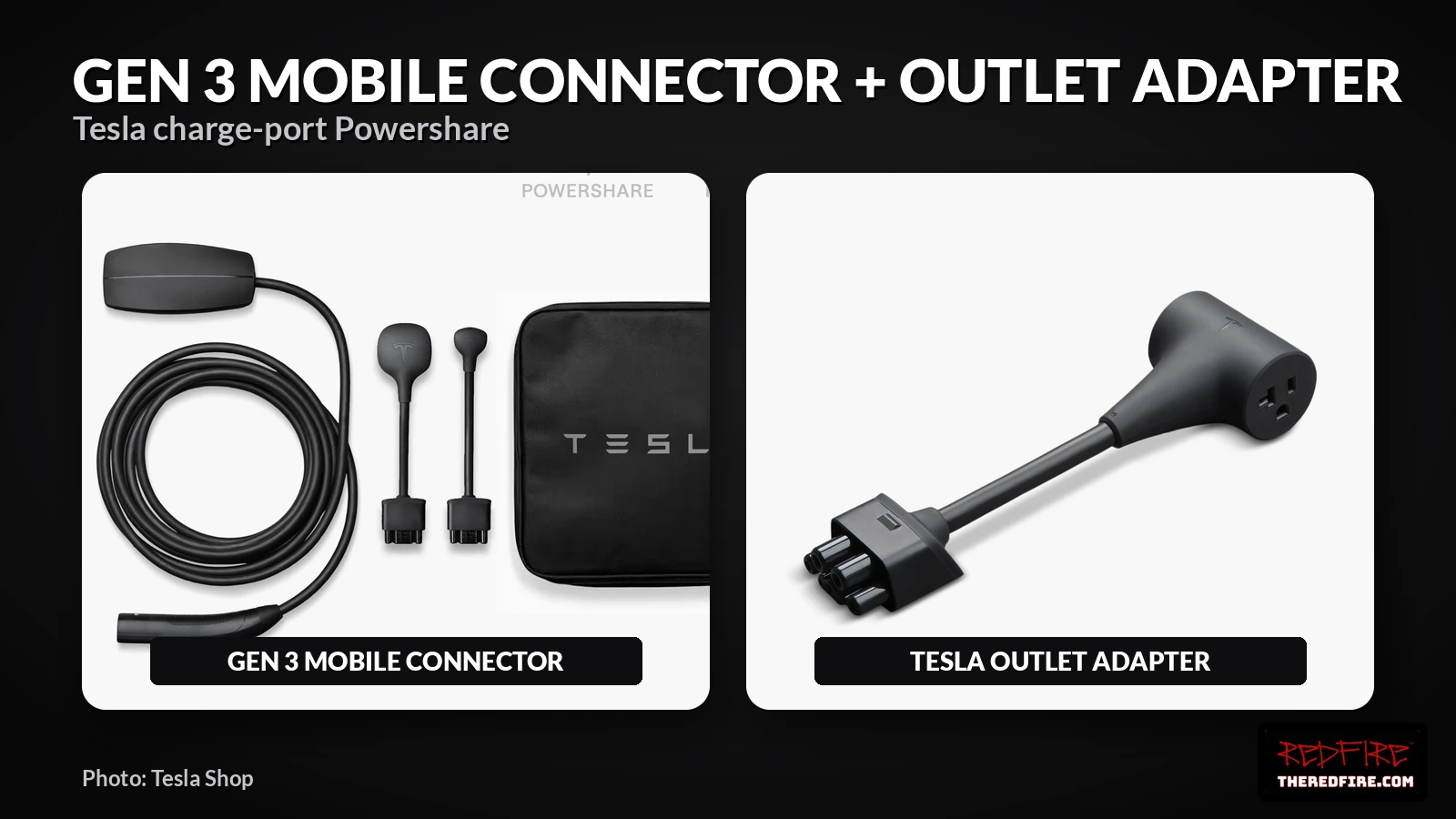
Yes, if your car shows Powershare Support as Enabled and you have the right gear. Tesla says Powershare is available on all Cybertruck vehicles and on all new Model 3 and Model Y vehicles ordered on October 1, 2026 or later, with its site footnote limiting that Model 3 and Model Y line to the U.S. and Puerto Rico. Charge-port power needs a Gen 3 Mobile Connector plus the Tesla Outlet Adapter, which Tesla’s manual rates at 120 V, up to 20 A and 2.4 kW maximum draw.
Who can use it
Tesla’s Powershare page and its footnote set the eligibility lines. Not every older car qualifies, so check the car itself before buying anything.
- Cybertruck: all vehicles, per Tesla.
- Model 3 and Model Y ordered on October 1, 2026 or later in the U.S. and Puerto Rico: capable of Powershare, per Tesla’s FAQ and footnote.
- Model 3 and Model Y built before October 1, 2026: Tesla says some, but not all, are capable. There is no blanket retrofit.
- Markets outside the U.S. and Puerto Rico: Tesla’s dated footnote does not cover them, and the Model Y manual notes the adapter excludes Canada.
How to check your car
Tesla gives one on-screen path. Do this before ordering the adapter.
- On the touchscreen, open Software.
- Select Additional Vehicle Info.
- Look for Powershare Support. If it reads Enabled, the car supports Powershare.
What gear you need
The charge-port setup uses two Tesla parts. Tesla’s Gen 3 Mobile Connector manual is explicit that only the Gen 3 unit works.
- Gen 3 Mobile Connector.
- Tesla Outlet Adapter (NEMA 5-20), sold through the Tesla Shop where available.
- The Gen 2 Mobile Connector does not work. Tesla warns against using the adapter with it or other Tesla charging products.
What 2.4 kW will run, and what it won’t
The adapter’s ceiling is 2.4 kW at 120 V, up to 20 A. Tesla lists space heaters, e-bikes and power tools as examples on its Powershare page. Check the wattage label on any device and keep it under that limit.
That 2.4 kW outlet is not home backup. Tesla’s separate Powershare Home Backup path, rated up to 11.5 kW, needs installed hardware such as a Wall Connector or Universal Wall Connector with Powerwall 3, or a Powershare Gateway for Cybertruck. You cannot back up a house through the Outlet Adapter.
Battery limits
Powershare will not start if the high-voltage battery is under 5%. Tesla’s manual also says you can set a discharge limit on the touchscreen or in the app, and power shuts off when the battery hits it. A plugged-in device does not drain the low-voltage battery, per the manual.
FAQ
How do I know if my Model 3 or Model Y has Powershare?
Go to Software, then Additional Vehicle Info, and look for Powershare Support: Enabled.
Does the Gen 2 Mobile Connector work with the Tesla Outlet Adapter?
No. Tesla says only the Gen 3 Mobile Connector supports Powershare.
Is the 2.4 kW outlet the same as Powershare Home Backup?
No. The Outlet Adapter tops out at 2.4 kW at 120 V. Home Backup is a separate installed system rated up to 11.5 kW.
Related: Tesla Wall Connector vs Universal Wall Connector
Sources: Tesla Powershare; Gen 3 Mobile Connector Owner’s Manual (NA); Model Y Owner’s Manual: Powering Devices with the Charge Port